


 Monday, 09-11-26


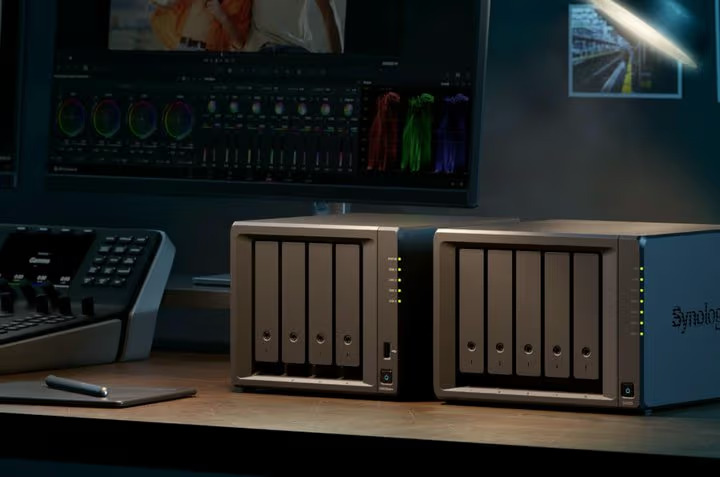
Synology is positioning its DiskStation neo+ range as a more accessible way for Indonesian households and businesses to manage growing volumes of digital information. The lineup brings four network-attached storage (NAS) models to the market, spanning two-bay systems for smaller setups to eight-bay units designed for more demanding storage environments. Its central proposition is a lower starting configuration that preserves the platform and software capabilities associated with Synology's Plus family.
The launch arrives as the cost of memory and storage components faces renewed pressure from demand linked to artificial intelligence infrastructure. For buyers considering a Synology NAS, that makes the neo+ range relevant not simply as a new hardware release, but as an example of vendors adjusting product configurations to keep enterprise-grade storage features within reach of a wider customer base.
Synology says the neo+ devices are built on the same platform as corresponding DS Plus models, but ship with 4GB of non-ECC DDR4 SODIMM memory as standard. For buyers comparing a Synology NAS with subscription-based cloud storage, the appeal is the ability to keep a large local data pool under their own administration.
The company describes this as a way to reduce the initial purchase cost while giving users the option to expand memory as workloads grow. The distinction is important: neo+ is intended to sit alongside the standard Plus models, not replace them.
Synology Uses a Lower Memory Configuration to Broaden Access
The main hardware distinction in the neo+ lineup is its standard memory configuration. Each model comes with 4GB of non-ECC DDR4 SODIMM memory, while the supported upgrade path allows capacity to reach 32GB using compatible ECC memory modules. Synology notes that mixing non-ECC and ECC modules is not officially supported, so buyers should plan any future upgrade around a compatible memory configuration rather than assume that different module types can be combined.
This approach reflects a broader challenge facing technology manufacturers in 2026. Memory supply remains tight as chipmakers direct more capacity toward server products used in AI workloads.
TrendForce projected that conventional DRAM contract prices would rise by 10% to 15% quarter on quarter in the fourth quarter of 2026, while NAND Flash contract prices were expected to increase by 15% to 20%. The research firm attributed the pressure to constrained supply and continued demand from AI-related server applications.
The component environment helps explain why a lower initial memory configuration can matter to product pricing. It does not, by itself, establish how much cheaper a neo+ system is than its Plus counterpart. Synology has not published a single nationwide retail price in its announcement, and actual marketplace prices can vary by seller, stock, promotions and configuration.
The clearer point is that a 4GB non-ECC baseline gives buyers a lower entry specification, while the platform retains an upgrade path for more intensive use.
A marketplace price check provides an indication of the range currently visible to Indonesian buyers. Listings from the Synology Flagship Store on Blibli showed the DS725neo+ at Rp12.29 million, the DS925neo+ at Rp13.49 million, the DS1525neo+ at Rp19.49 million and the DS1825neo+ at Rp24.29 million.
These are marketplace listing prices, not a manufacturer-confirmed recommended retail price, and should be treated as a snapshot rather than a fixed national price list.
Four Models Cover Different Storage Requirements
The four models are differentiated primarily by the number of drive bays, giving buyers a way to match storage capacity and expansion needs to their operating environment.

The two-bay DS725neo+ is the smallest option in the range. It is suited to individuals, home offices or small teams that need centralised storage without starting with a multi-drive chassis. The four-bay DS925neo+ provides more room for capacity planning and is aimed at users who manage larger personal libraries, creative files or shared business data.
The five-bay DS1525neo+ moves further into small-business and departmental workloads, where a larger pool of drives can support capacity growth and storage management choices. At the top of the range, the eight-bay DS1825neo+ is designed for users with more substantial storage requirements, including media production, multi-user file services and centralised backup environments. The hardware also offers a degree of network and storage flexibility across the range. Synology lists built-in 2.5GbE networking and M.2 slots for SSD caching, while the DX525 expansion unit can increase available drive bays.
The DS1525neo+ and DS1825neo+ additionally have a PCIe 3.0 slot for optional 10GbE or 25GbE network adapters, providing a higher-speed networking path for customers with compatible infrastructure. Capacity figures should be interpreted as raw storage, not guaranteed usable space. For example, Synology lists the DS925neo+ platform with up to 96TB across four bays using 24TB drives, and up to 216TB after expansion.
The DS1525neo+ can reach up to 360TB with expansion, while the DS1825neo+ can reach up to 432TB. RAID configuration, filesystem overhead, drive compatibility and redundancy settings affect the capacity available for files. Buyers should therefore size a system based on usable capacity and resilience requirements, not the headline raw figure alone.
DSM Turns the NAS Into a Private Data Platform
The value of a NAS is not limited to the number of hard drives it can hold. Synology's DiskStation Manager operating system, or DSM, supplies the applications that turn the hardware into a central point for file access, collaboration, backup and surveillance. Synology Drive is the core private-cloud and file-synchronisation component. It allows users to access and share files across desktop and mobile devices, keep folders synchronised and support collaboration across locations.
For smaller businesses that rely on shared folders and multiple devices, this can reduce dependence on files scattered across individual laptops and removable drives. It also gives administrators a central place to manage permissions and access. Synology Photos is designed for personal and team photo and video libraries, including automatic backup from mobile devices. That can be useful for households with growing media collections, as well as small businesses that need to organise visual assets.
Active Backup Suite extends protection to Windows, Linux and macOS devices, virtual machines and cloud accounts, while offering options for off-site backup. The range also supports Surveillance Station, which allows a compatible NAS to operate as an on-premises network video recorder. This makes the same device relevant to businesses that want to consolidate file storage and CCTV recording.
Surveillance Station supports a broad camera ecosystem, although the number of cameras and features available in practice depend on the model, configuration and licensing requirements. These software functions strengthen the case for a Synology NAS as a multi-purpose data platform rather than a simple network hard drive. However, software features do not remove the need for a proper data-protection strategy. RAID can help maintain availability after certain drive failures, but it is not a substitute for an independent backup. Businesses should still consider off-site copies, access controls, encryption, software updates and a tested recovery process.
What Indonesian Buyers Should Assess Before Choosing
The neo+ lineup gives consumers more choice, but the lowest purchase price is not necessarily the lowest total cost of ownership. The device itself is only one part of a complete NAS setup. Buyers should account for hard drives or SSDs, backup media, network equipment, electricity, maintenance and the time required to manage the system. A faster 2.5GbE connection will also deliver limited benefit if the router, switch, cabling or client devices cannot support the same speed.
The choice of bay count is a long-term decision. A two-bay system may meet immediate needs, but households and businesses with rapidly expanding video, design or project archives may benefit from starting with four or more bays. Additional bays provide more room to expand capacity or configure redundancy, although they also increase the initial hardware and drive budget. Buyers should estimate how much data they generate each year and allow room for growth.
Memory requirements should be assessed against intended workloads. A basic file-sharing and backup setup may not need the same memory capacity as a system running multiple applications, managing several users or handling surveillance streams. The neo+ baseline of 4GB is designed to lower the entry cost, but users planning more demanding workloads should consider the cost and compatibility of an ECC memory upgrade before purchasing. Price comparisons also need to account for what each listing includes. The four prices found in marketplace listings provide a starting reference, but buyers should confirm the exact model, warranty, distributor status, drive bundle, delivery costs and after-sales support with the seller.
A low headline price can be less attractive if the configuration requires additional spending immediately after purchase. For companies, the decision should also be tied to operational risk. A Synology NAS can centralise file access, but it also makes the organisation responsible for maintaining the storage environment.
A Synology NAS deployment should define access controls, update routines and recovery testing before the hardware enters production. Someone must be responsible for user permissions, backup schedules, security patches, monitoring drive health and periodically testing recovery.
Read More